
PKB Solutions logo

Working with us

Start with a scoped conversation

Tell us the outcome you are chasing and we will map it to a realistic first phase.

Contact the team
PKB Solutions logo
Home

Expansion Modules

Flow

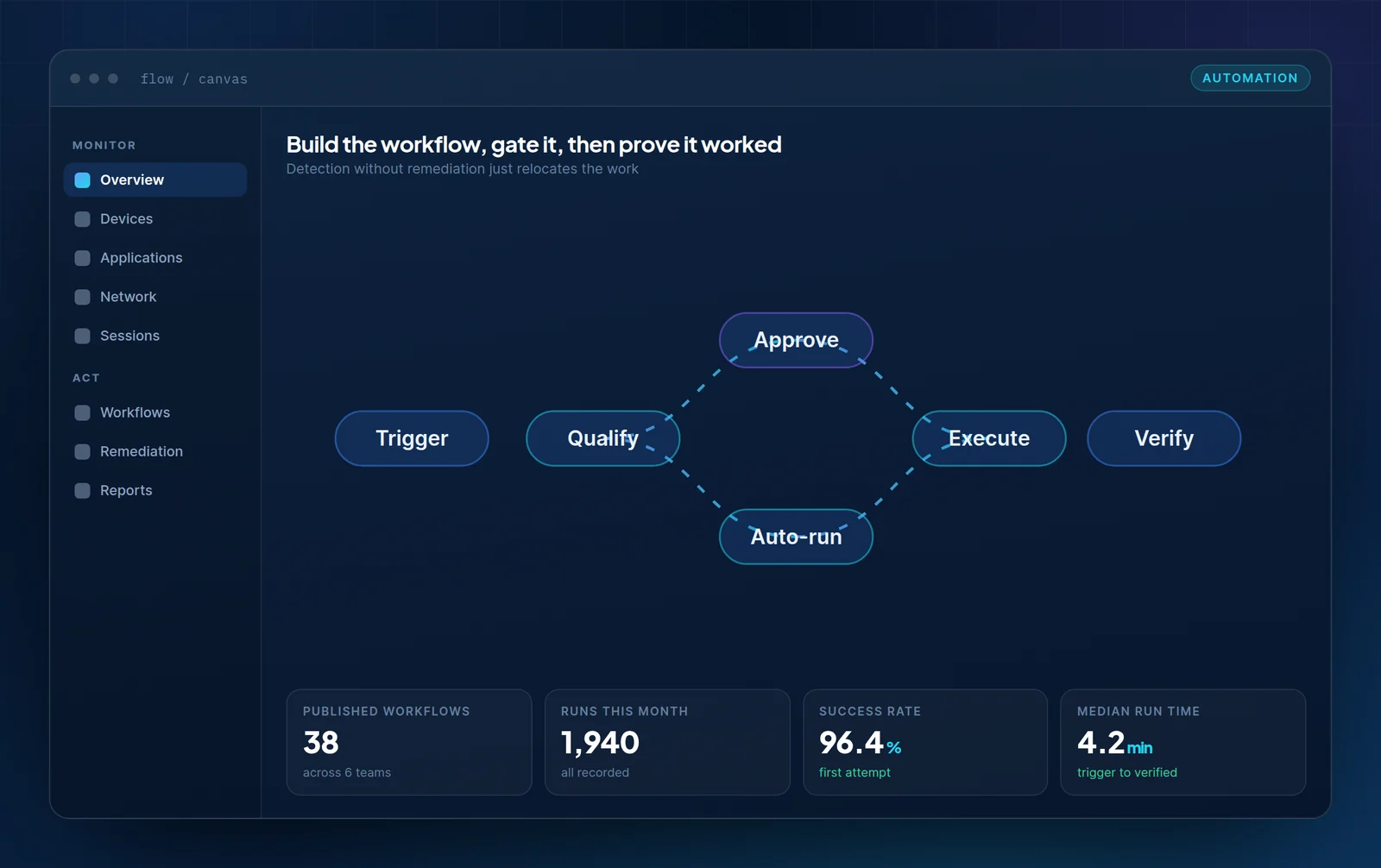
Detection without remediation just moves the work somewhere else. Flow closes the loop, with the approval gates your change process actually needs.

PKB Flow workflow canvas showing trigger, qualification, approval or auto-run, execution and verification stages with run statistics.

What it covers

Automation that a change board will approve

Most workplace automation is blocked for governance reasons rather than technical ones. Flow is built around that constraint rather than against it.

Cohort-scoped execution

Actions run against a defined population, validated against exclusions and freezes before anything happens.

Configurable gates

Approval requirements set per action class and per population size, not as a single global switch.

Dry run by default

Write actions execute against a small slice first, with the result measured before full rollout.

Verified outcome

Post-action measurement against the same metric, retained with the run record.

Capabilities

Discover key features

Three things that decide whether automation gets permission to run.

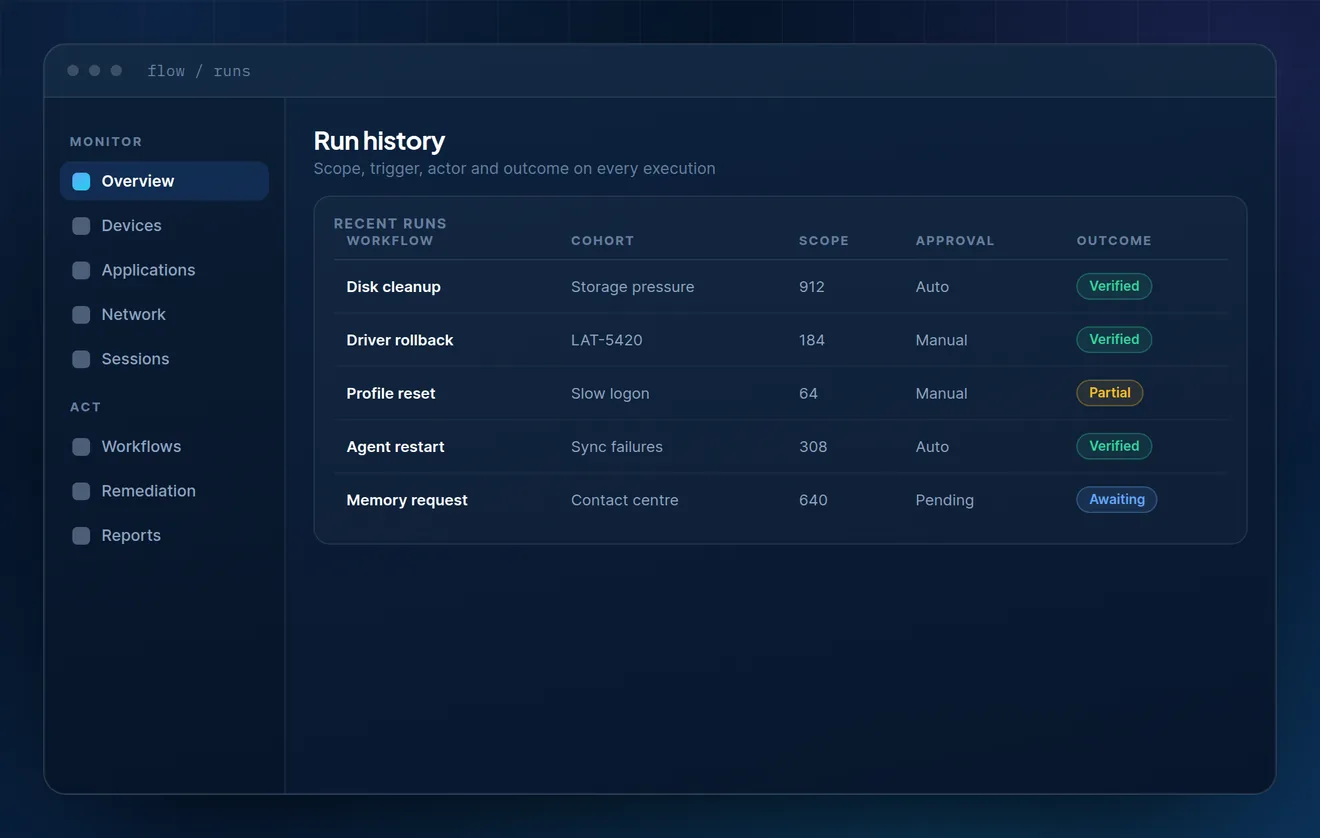
Flow run history table listing workflow, cohort, scope, approval type and verified outcome for five recent executions.
01

Runs

Every execution has a record

Scope, trigger, approver and outcome on every run. This is the artefact that makes automation defensible after the fact rather than merely fast.

  • Cohort definition stored with the run, not inferred later
  • Approver and trigger captured automatically
  • Partial outcomes recorded as partial, not as success
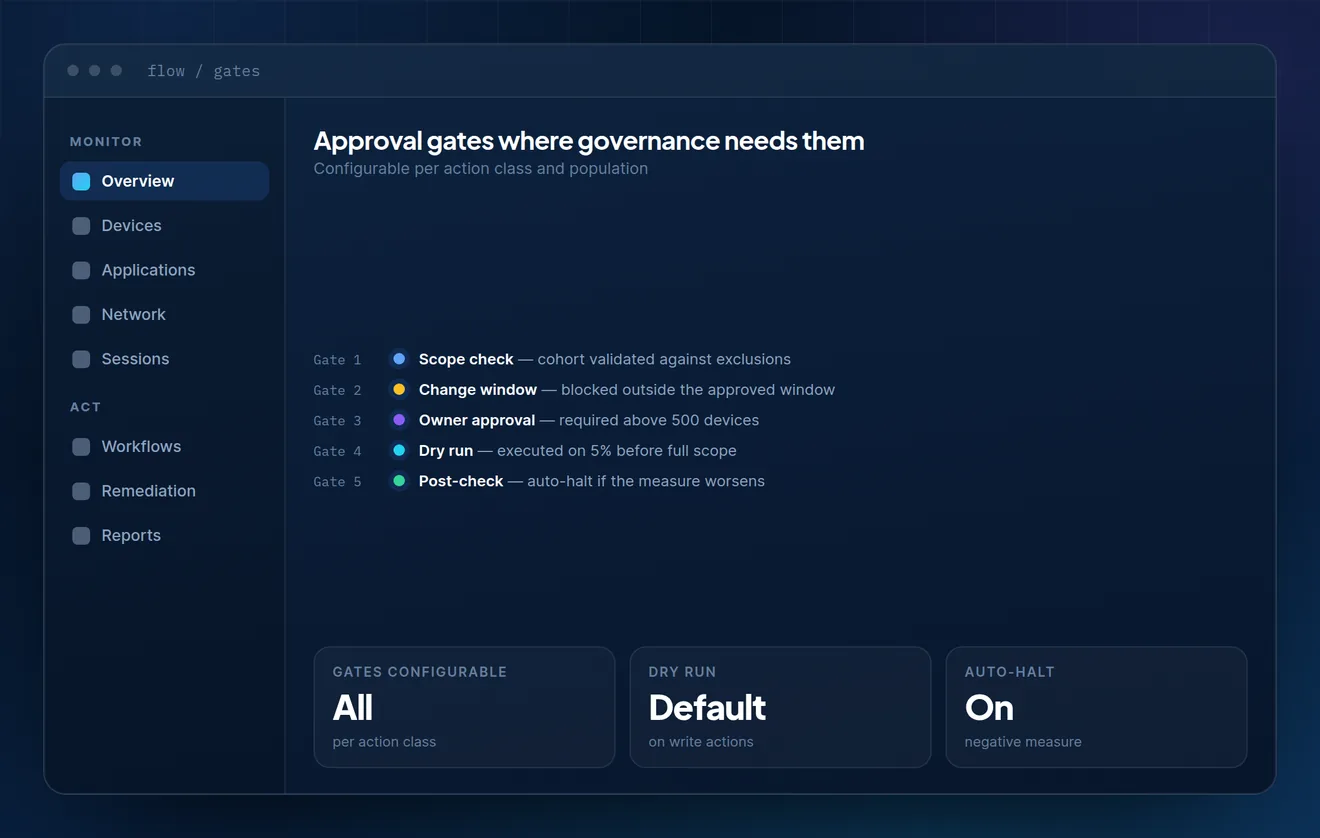
Gate sequence showing scope check, change window, owner approval, dry run and post-check with configurability notes.
02

Gates

Five checks before anything writes

Scope validation, change window, owner approval above a threshold, a dry run, and an automatic halt if the measure moves the wrong way.

  • Approval thresholds configurable per action class
  • Change windows enforced, not advisory
  • Automatic halt on a negative post-check
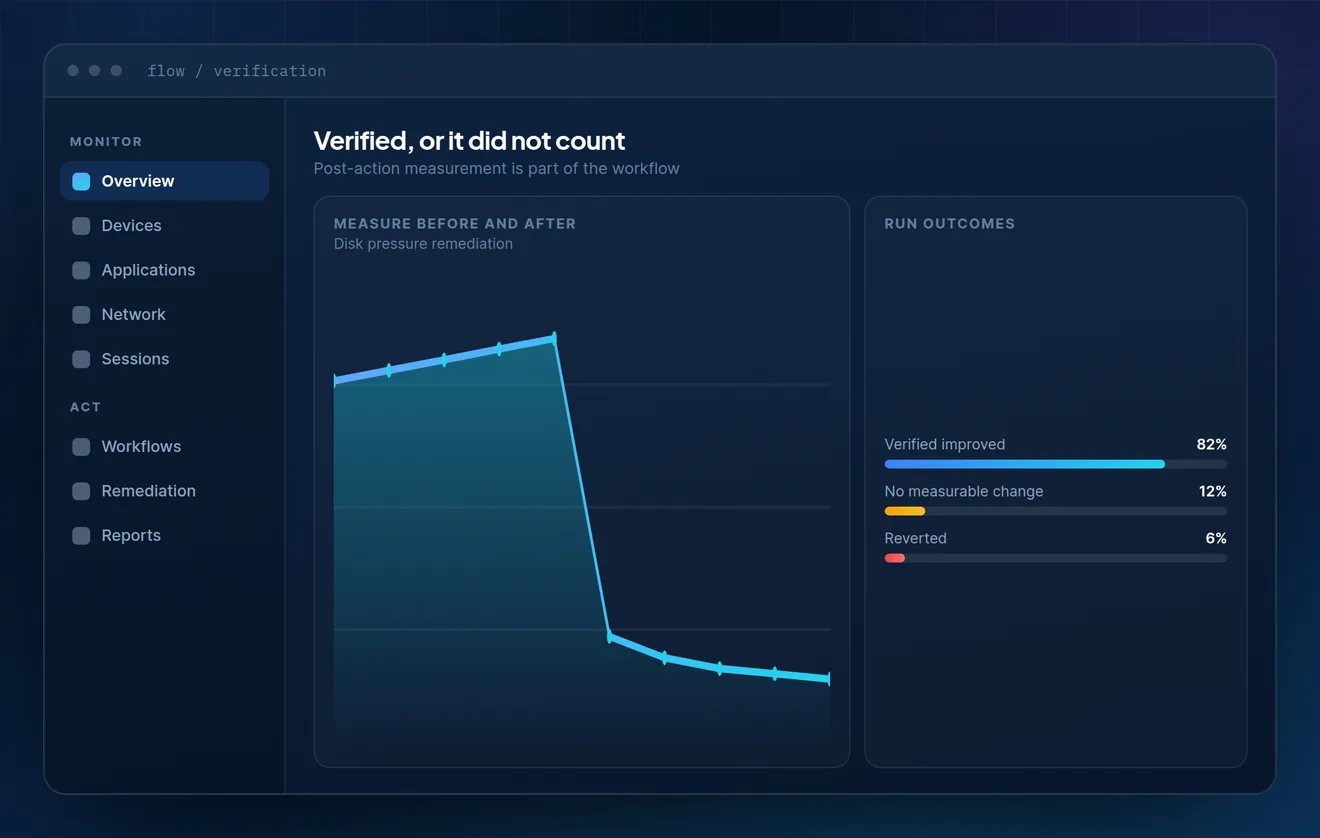
Before and after chart of a disk pressure remediation with a breakdown of verified, unchanged and reverted run outcomes.
03

Verification

Measured, or it did not count

The workflow does not finish at execution. It finishes when the same measurement, on the same population, confirms the condition is resolved.

  • Before-and-after on the metric that triggered the run
  • Unresolved devices escalated automatically
  • Reverted runs recorded with the reason

In practice

One run, start to finish

A disk pressure remediation, from the condition being detected to the outcome being confirmed.

Condition matched

Sustained storage pressure crosses the threshold on 912 devices. The trigger records the metric and the population at that moment.

Scope confirmed

The cohort is validated against exclusion lists, an active change freeze and device ownership. Eighteen devices are removed from scope.

Dry run, then execute

The cleanup runs on a 5% slice and is measured. Once the slice improves, the remaining population runs with the employee notified rather than interrupted.

Outcome verified

Storage headroom is re-measured on the same population. Devices that did not improve escalate to the owning team with the run record attached.

Chart showing disk pressure before and after a Flow remediation run.

Bring a runbook you have not automated yet

Usually there is a specific governance reason it is still manual. That reason is the interesting part of the conversation.