
PKB Solutions logo

Working with us

Start with a scoped conversation

Tell us the outcome you are chasing and we will map it to a realistic first phase.

Contact the team
PKB Solutions logo
Home

AI Agents

Workspace

Most technology friction is never reported. Workspace gives people somewhere to see what is happening on their own device, and something they can actually do about it.

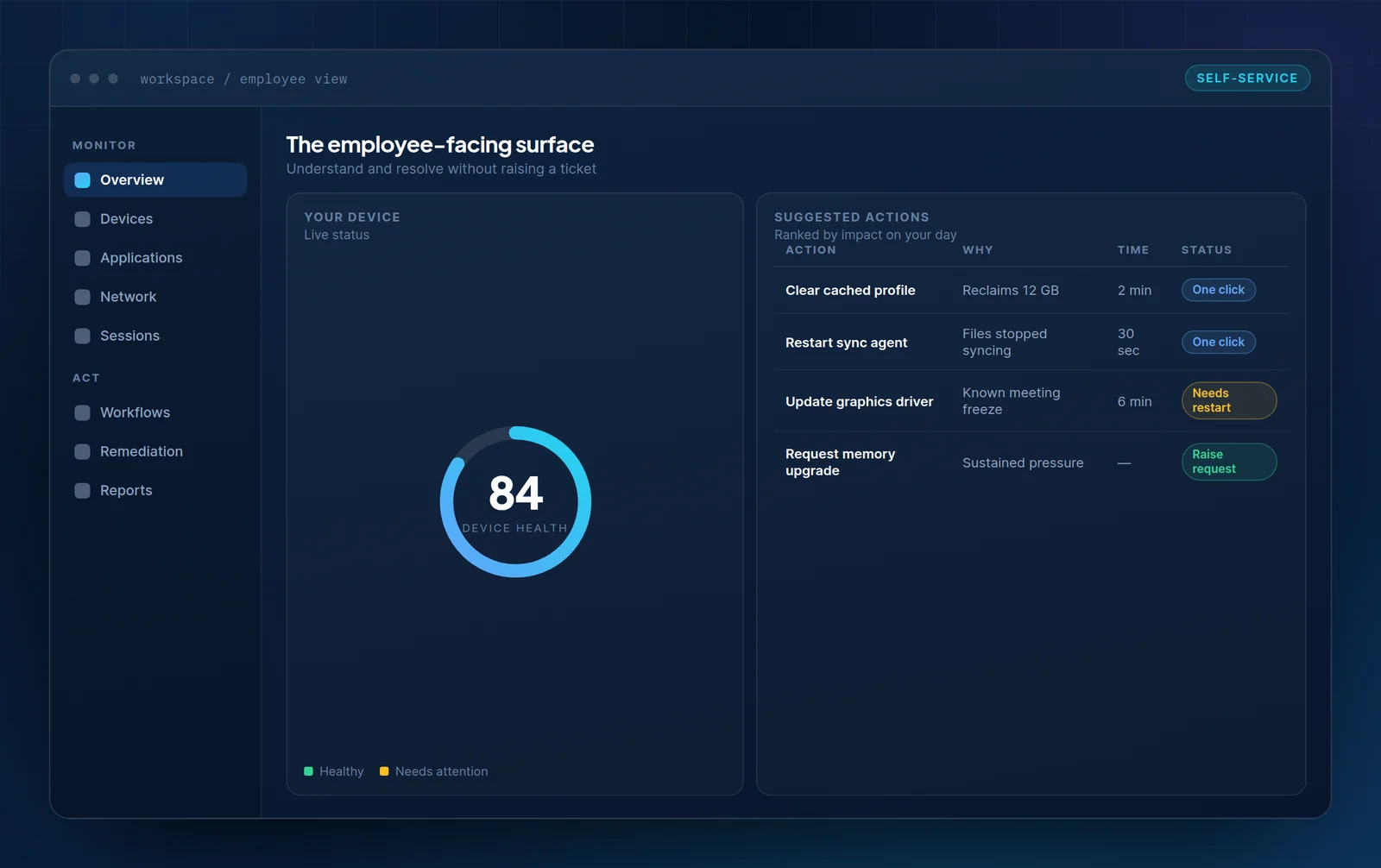
PKB Workspace employee view showing a device health gauge at 84 alongside a list of suggested one-click actions ranked by impact.

What it covers

Self-service that resolves, rather than self-service that deflects

A knowledge base tells someone what to do. Workspace does it, checks whether it worked, and escalates with the evidence attached when it did not.

Visible device state

The employee sees the same health signals IT does, in language that does not require an IT background.

Actions that run

Safe remediations execute in place with one click, rather than being described in a nine-step article.

Verified outcome

The action is re-measured. If it did not resolve the condition, escalation happens automatically.

Context on escalation

When a ticket is needed, device state, recent changes and cohort membership travel with it.

Capabilities

Discover key features

Designed so an employee never has to describe a technical symptom in their own words.

Guided fix flow diagram moving from symptom through state check to a safe fix or escalation, then verification.
01

Guided resolution

A fix that runs, not an article that explains

Each flow checks the current state, applies the safe action, and verifies the result. The employee is told what happened, not handed a procedure.

  • State checked before anything is changed
  • Only reversible, pre-approved actions offered to the employee
  • Automatic escalation when the verification fails
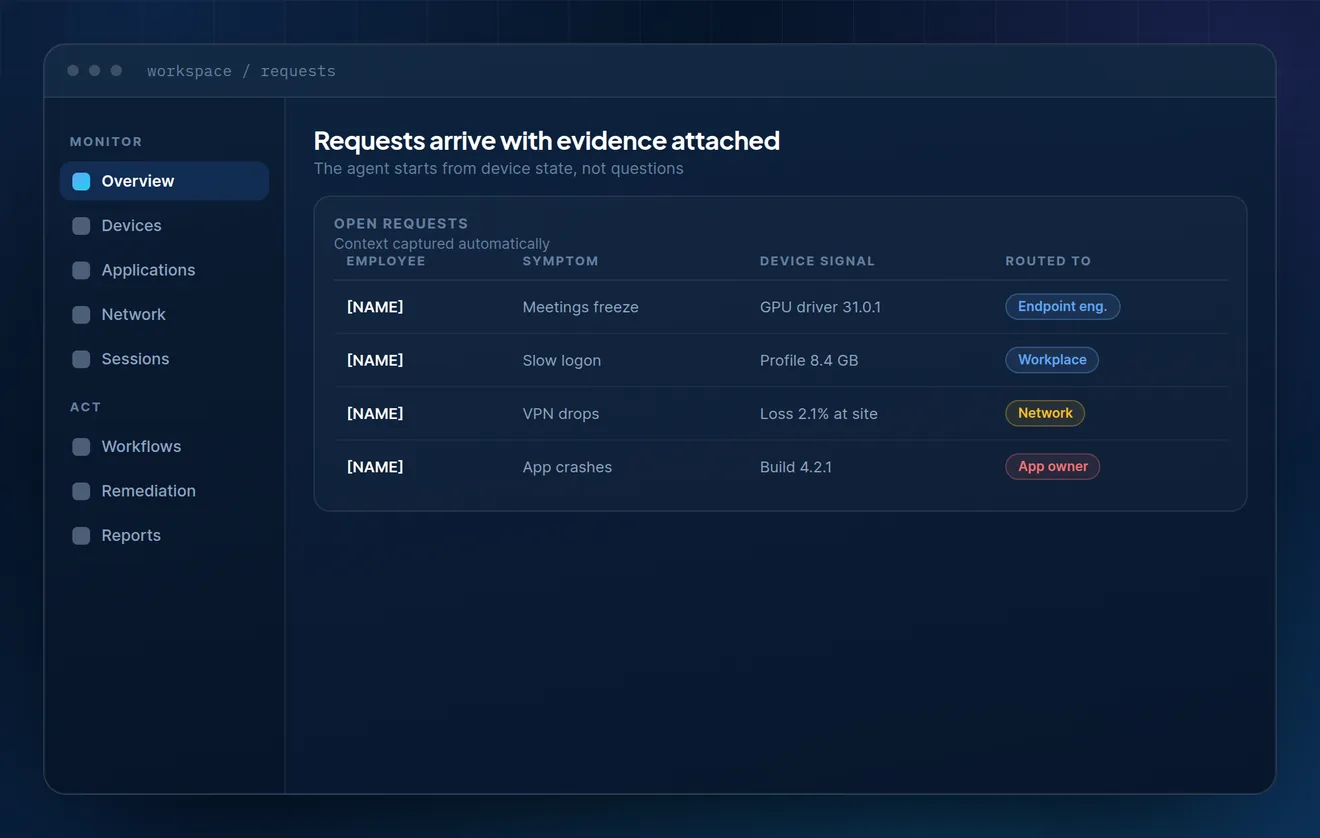
Open requests table showing employee symptom, the correlated device signal and the team each request was routed to.
02

Escalation

Tickets that arrive already diagnosed

When a request does reach the service desk, it carries device state, recent changes and whether other people are affected. The first question is no longer “what were you doing?”.

  • Device signal captured at the moment of the request
  • Cohort membership shown, so repeat issues are visible
  • Routed to the team that owns the actual cause
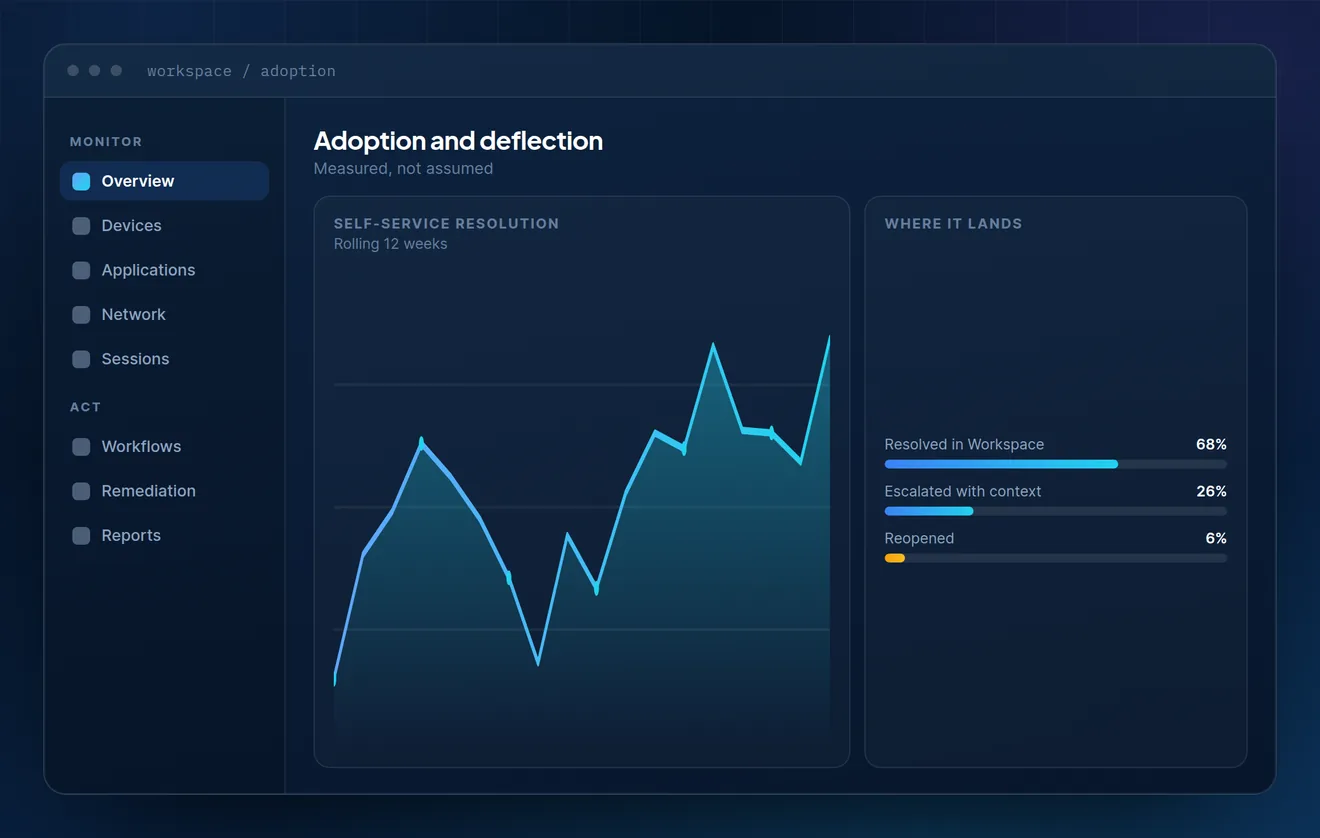
Self-service resolution trend over twelve weeks with a breakdown of resolved, escalated and reopened outcomes.
03

Adoption

Measured deflection, not assumed deflection

Adoption is tracked as an outcome rather than a launch metric — including reopened items, which is the number that tells you whether the resolution was real.

  • Self-service resolution rate over time
  • Reopened rate tracked as a first-class figure
  • Escalations separated from failures

Who it helps

One surface, three different reasons to care

Employees

Something to try before losing thirty minutes to a call, and honest information when there is nothing they can do.

Service desk

Fewer avoidable contacts, and the ones that arrive come with device evidence already attached.

Endpoint engineering

A safe channel for pushing a fix to the affected cohort without a fleet-wide change.

Workplace leadership

A measurable deflection figure that survives scrutiny, because reopened items are counted.

See it from the employee side first

We will walk through the surface as an employee sees it, then show what the service desk receives when a flow escalates.